Choose your exam
Practice the exact interface, timing, and rules for your target exam
English typing for UPSSSC, SSC CHSL, RRB NTPC & government exams
Structured English typing lessons from home row to full keyboard — chapter by chapter. Required for SSC CHSL (35 WPM), RRB NTPC (30 WPM), DSSSB (35 WPM), RSMSSB / RSSB (0.05 marks per correct word), and UPSSSC (30 NWPM).
Hindi typing practice — INSCRIPT, Mangal and DevLys 010
Hindi typing is required for SSC CHSL (30 WPM Mangal INSCRIPT), RSMSSB / RSSB LDC (DevLys 010 Remington GAIL), CPCT (20 NWPM Remington Gail), and DSSSB. Three completely different keyboard layouts — we support all of them.
Lessons start from vowel markers (matras) and progress through conjuncts and complex characters. The virtual keyboard shows the Devanagari layout at every step, so you never have to guess which key to press.
Punjabi typing — Raavi Unicode font for PSSSB
PSSSB requires Punjabi typing in Raavi Unicode font using the Gurmukhi INSCRIPT keyboard — 30 WPM with 92% accuracy. Our chunk-based practice mode replicates the exact PSSSB interface: one chunk visible at a time, Enter to advance after typing 80%.
Punjabi lessons start with basic consonants and vowel marks, progress through laga matra and ligatures, and build up to full-speed chunk practice at PSSSB difficulty.
From first keystroke to exam-ready in 4–6 weeks
Not random drills. A structured path where every lesson builds on the last.
Choose your exam and language
Select SSC CHSL, PSSSB, RRB NTPC, RSMSSB, DSSSB, or CPCT. Each exam has different WPM targets, keyboard layouts, and interface rules — we match all of them. Choose the language your exam demands.
Train with guided key lessons
Chapter-by-chapter lessons with a live virtual keyboard showing exactly which finger to use for each character. Progress from home row to full keyboard — no guesswork, measurable improvement from session one.
Take exact exam simulations
Timed tests that replicate the actual exam software — same interface, same scoring formula, same pass or fail threshold. Know your real score before exam day, not after.
Built for the exam — not just typing
Generic typing tutors do not know about word-lock rules, chunk interfaces, or DevLys 010. We do.
Real students, real exams, real scores
Not marketing copy — specific results from students who cleared their exam.
I kept failing PSSSB typing even though my WPM was decent. Turned out I was rushing the chunk transition — hit Enter too fast and lost my rhythm every time. Took me a while to even realise that was the issue. Practised only that part here for two weeks. Cleared with 31 WPM in the March batch.
शुरुआत में मेरी टाइपिंग बहुत धीमी थी और बार-बार गलतियाँ होती थीं। फिर मैंने नियमित रूप से Typing Sutra पर प्रैक्टिस शुरू की। धीरे-धीरे मेरी स्पीड और एक्यूरेसी दोनों बेहतर होती गईं, और आज मैं 40+ WPM की स्पीड से आत्मविश्वास के साथ टाइप कर पाता हूँ।
The no-backspace rule in RRB is brutal when you are used to normal typing. My hand kept going to backspace automatically and it completely killed my rhythm. Took a few weeks to untrain that reflex. Once I stopped fighting it and just kept typing through mistakes, the speed came. Got 34 in the exam.
Straight answers to real questions
Your exam has a typing test.
Start preparing now.
First 5 chapters completely free. No credit card required. English, Hindi, and Punjabi from day one.
The only app that exactly replicates your real exam
Every government typing exam has its own rules — different keyboard, different timing, different way of counting mistakes. TypingSutra simulates all of them exactly. No surprises on exam day.
- DevLys 010 — Remington GAIL keyboard
- Enter or Space permanently locks word forever
- No WPM threshold — 0.05 marks per correct English word, 0.0625 per Hindi word
- 10 minutes and 25 marks per paper, minimum 9 of 25, marks count toward rank
- 4-test simulation: English Speed + Hindi Speed + English Proficiency + Hindi Proficiency
- Mangal INSCRIPT keyboard for Hindi
- Word-lock on Enter or Space — no going back
- Word-based scoring, no partial credit
- 10 minutes, 35 WPM English / 25–30 WPM Hindi
- Separate CHSL and CGL DEST formats
- Raavi / Gurmukhi INSCRIPT keyboard
- Chunk-style passage — see one chunk at a time
- 10 minutes per session
- Punjabi + English both supported
- Exact Punjab government exam interface
Practice on your phone.
No laptop needed.
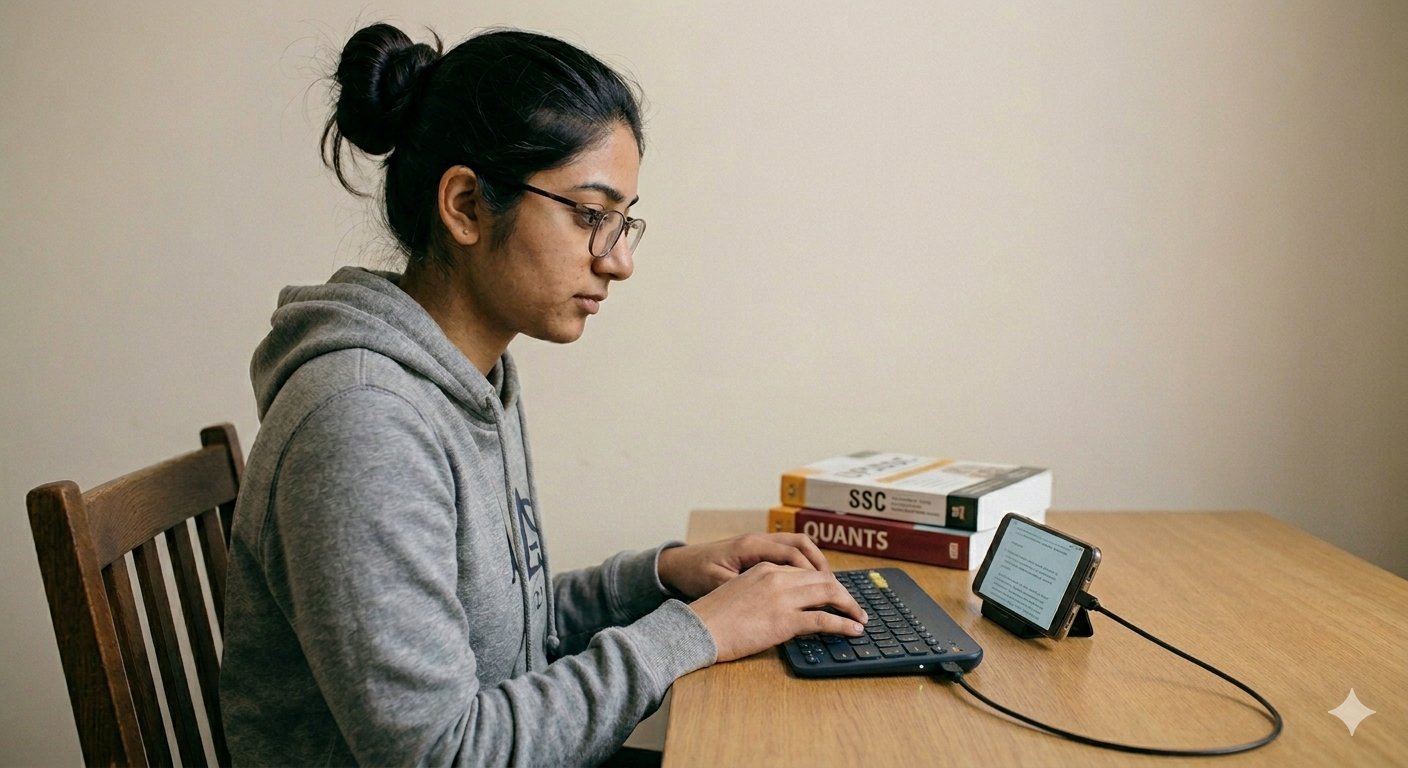
अगर आपके पास लैपटॉप नहीं है तो परेशान मत होइए। TypingSutra आपके मोबाइल फोन पर पूरी तरह काम करता है। बस एक USB-C OTG adapter लीजिए (₹100 से कम में मिलता है), उसमें कोई भी USB keyboard लगाइए, और practice शुरू कर दीजिए। कोई app download नहीं करनी, कोई setup नहीं।
No laptop? No problem. TypingSutra works fully in your phone browser. Get a USB-C OTG adapter (under ₹100), plug in any USB keyboard, and start practising — no app download, no account required to begin.
We find your weak keys.
Then fix them.
Most typing apps just show you WPM. TypingSutra shows you why your WPM is low — and gives you targeted drills to fix exactly those keys.